

Gmail

Gmail App Info
-
App Name
Gmail
-
Package Name
com.google.android.gm
-
Developer
Google LLC -
Category
Communication -
Updated
2026/04/13
-
Version
2026.04.06.899171334.Release
Gmail App: Smart Email Management for Work and Everyday Communication
📧 Gmail is more than a traditional email client. It combines inbox management, fast search, account switching and Google’s productivity tools in one mobile experience. For users who handle work messages, personal conversations and subscriptions from the same phone, the Gmail app provides a practical way to keep everything organized.
The app is especially useful for people who already use Google services. Instead of constantly moving between different apps, users can manage messages and connect email-related tasks with other parts of the Google ecosystem.
What Makes Gmail Useful?
🔎 Find important emails faster
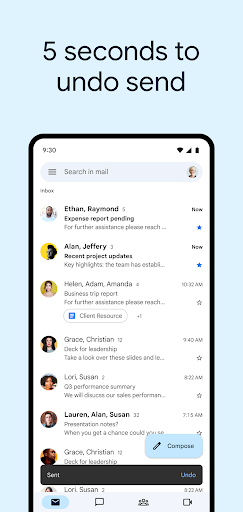
A busy inbox can quickly become difficult to manage. Gmail's search tools make it easier to locate conversations, attachments or specific information without manually scrolling through hundreds of messages.
This is particularly useful for work situations, such as finding an old invoice, checking a booking confirmation or retrieving an attachment from a previous conversation.
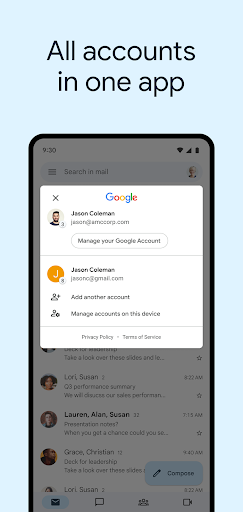
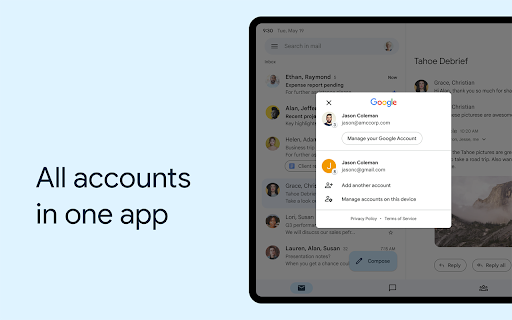
👥 Manage multiple accounts
Gmail supports multiple email accounts, making it convenient for users who separate personal and professional communication. You can switch between accounts without maintaining completely different email workflows.
For freelancers, students and office workers, this can make daily communication much easier to organize.
🤖 AI-assisted email workflow
Gmail also integrates Gemini-powered features for supported users. AI can assist with writing and organizing emails, which can be useful when you need to turn a rough idea into a clearer message or respond to routine communication more efficiently.
Some advanced AI functions depend on an eligible Google AI plan, so users should check the current availability before relying on them as part of their daily workflow.
Gmail App: Advantages and Limitations
Advantages
🌟 Easy organization: Search, account switching and inbox tools help reduce email clutter.
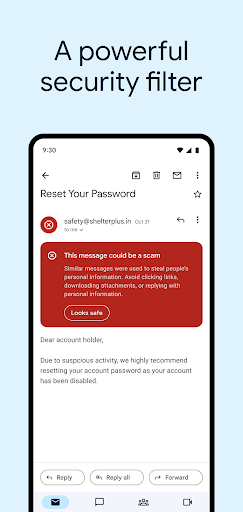
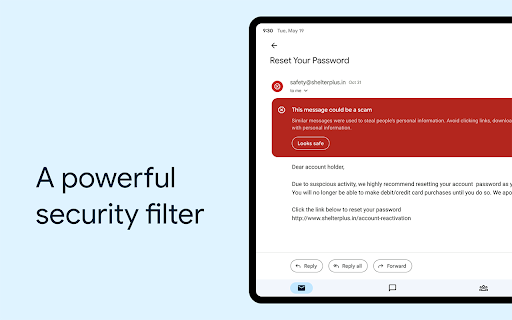
🛡️ Strong security: Gmail includes automated protections designed to identify spam, phishing and malicious content before it reaches your inbox.
⚡ Useful Google integration: Gmail works naturally with other Google services, making it suitable for users already inside the Google ecosystem.
Limitations
⚠️ Advanced AI availability: Some Gemini-related functions require eligible paid plans and may vary by country or language.
📱 Feature density: New users may need some time to become familiar with all the available tools.
🔐 Privacy considerations: As with any cloud-based email service, users should review Google's privacy and data-handling settings according to their needs.
Gmail for Different Everyday Scenarios
For work: Quickly locate attachments, follow long conversations and manage several accounts from one device.
For students: Keep school notifications, documents, registrations and personal communication in separate accounts.
For travel: Search booking confirmations, tickets and reservation emails without manually browsing through the inbox.
For everyday communication: Use Gmail as a central place for personal messages, newsletters, receipts and online account notifications.both personal and professional email. Its combination of familiar navigation, powerful organization tools and Google ecosystem integration makes the free Gmail app worth considering for everyday communication.
Gmail App Download
📥 Users looking for a Gmail app download can install the official Android application and keep their email available on their mobile device. If you are searching for a Gmail APK download, make sure the version and source are appropriate for your device before installing.
For users who want to install Gmail, the app is best suited to everyday email management, multi-account communication and staying connected with important messages wherever they are.
Gmail
Version 2026.04.06.899171334.Release Updated 2026/04/13


