

Solitaire










Solitaire App Info
-
App Name
Solitaire
-
Package Name
com.lemongame.klondike.solitaire
-
Developer
Solitaire Card Games Ltd -
Category
Card -
Updated
2024/12/20
-
Version
5.0.0.20241220
Solitaire App Usage Overview
💳 Get ready for a premium, low-stakes way to enjoy classic Klondike on Android, with smart hints and reliable scoring that feel consistent and fair.
📱 Open the game in any setting, then choose Draw 1 for easy wins or switch to Draw 3 and Vegas-style challenge for longer sessions and tougher decisions.
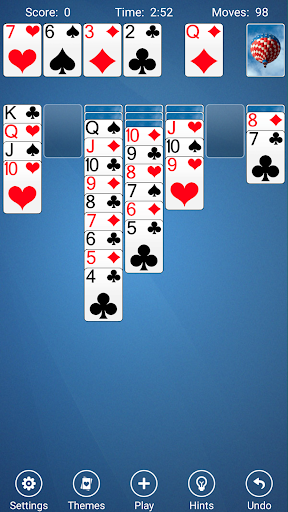
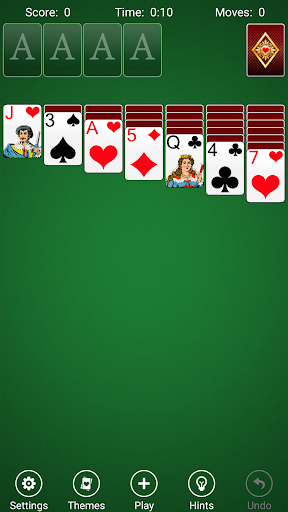
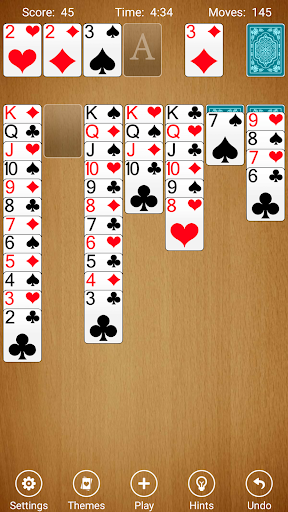
🃏 Learn the interface fast: tap to place a card or drag and drop when you want more control over tempo and strategy.
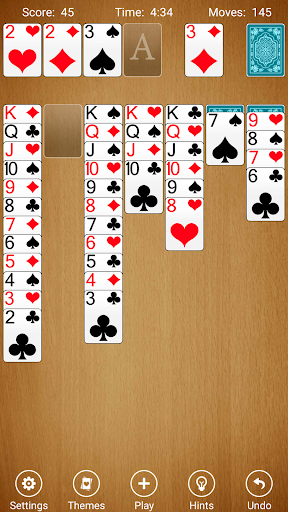
⏱️ Track your progress with timers, moves, and statistics that help you measure improvement, like a lightweight personal analytics tool.
↩️ When mistakes happen, use unlimited undo to experiment safely, which makes this app attractive for users who enjoy training thinking skills without pressure.
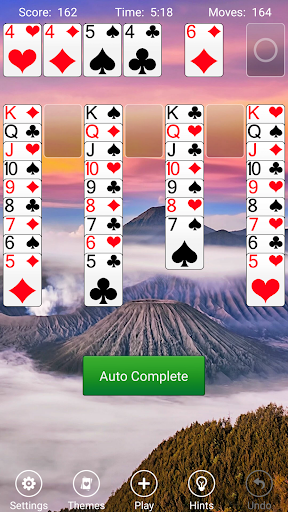
🎯 If you want a confidence boost, use Auto-Complete to finish a solved game, then return to standard play to keep your skills sharp.
🌙 Need flexibility? Play offline anytime and anywhere, with no reliance on connections, ads, or streaming access.
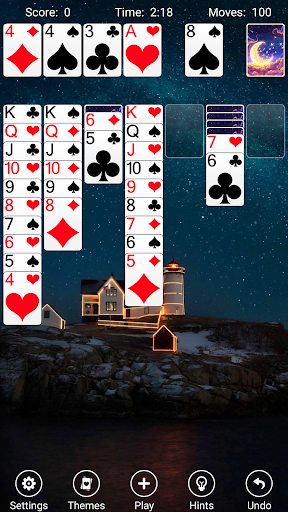
🖼️ Personalization is easy: customize the backdrop and card backs using your own photo library for a more “you” experience.
👥 You can also opt into left-handed or right-handed layout support, making the controls feel comfortable for different play styles.
Pros of Solitaire App
⚡ One of the highest-value features is the fast, sensible interface, which reduces friction and keeps gameplay moving smoothly during long sessions.
🧠 Smart hints can point to potentially useful moves, helping both new players and experienced solvers avoid common dead ends.
🃏 Crisp, easy-to-read cards improve accessibility, especially on smaller screens, and make it simpler to spot sequences quickly.
🎨 The app offers 14 background styles and 31 card back options, letting players refresh the look without losing the classic Solitaire feel.
🔊 Subtle sounds add polish while staying unobtrusive, which is ideal for users who want focus rather than loud effects.
🎮 Efficient animations and quick feedback make the game feel responsive, supporting repeat play for habit building.
🏅 Fun achievements add ongoing goals, so the experience doesn’t feel repetitive after only a few runs.
🎲 Random challenges and winning-mode options (with guaranteed solutions) support both risk-seekers and players who prefer predictable outcomes.
🔁 Unlimited Undo helps you learn by testing alternatives, which is especially useful when you want low-cost experimentation.
Cons of Solitaire App
⏳ Challenge can still feel time-consuming when you choose Draw 3, because tougher modes require more planning and more careful move selection.
🧩 Auto-Complete reduces the “earned” satisfaction for some players, since it shortcuts the full solving process in already solved games.
📈 While statistics are helpful, some users may want deeper performance insights, like win rate by layout or advanced analytics.
🖼️ Custom photo backdrops are great, but managing personal media can be inconvenient for people who prefer quick, default visuals only.
🕹️ For certain players, drag-and-drop may feel slower than pure tap-to-place, depending on screen size and personal preference.
📶 Even though the game works offline, players who want the most up-to-date content or event-style features might expect more online options.
Summary
✨ Solitaire Free by Solitaire Card Games delivers a modern, polished Klondike experience that respects the original rules while improving comfort and usability.
🏦 From a high-level perspective, it supports engagement like a subscription-free entertainment service: no constant friction, clear controls, and reliable session flow.
🧠 The combination of smart hints, unlimited undo, and multiple difficulty modes makes it easy to practice and progress without high effort.
🎨 Custom backdrops and card backs add meaningful personalization, helping the app stand out from plain, one-theme card decks.
📊 Timers, moves, and statistics also bring a practical “track and improve” mindset that fits players who like measured progress.
📱 Overall, it’s an accessible Solitaire app for any age, with classic gameplay fundamentals and modern readability that keep you coming back.
💬 If you enjoy the patience-style tradition of Solitaire, this version feels like a safe daily companion: calm, quick to start, and rewarding when you win.
How to Download the Solitaire App
🌐 To download Solitaire Free, visit our website and follow the download instructions for your Android device.
🧾 Choose the correct installation path for your setup, then open the game to begin classic Klondike sessions immediately.
📥 After installation, you can start in Draw 1 for quick wins, or jump straight into Draw 3 and Vegas modes for higher challenge.
🃏 Once you play a few rounds, enable your preferred interaction style using single tap or drag-and-drop for comfortable control.
🎨 Then personalize your experience by selecting from the built-in backgrounds or using your own photos for card backs and scenes.
🔓 Finally, enjoy offline play so you can relax during commutes, breaks, or quiet evenings without connectivity concerns.
Solitaire
Version 5.0.0.20241220 Updated 2024/12/20


