

Yahoo Mail – Organized Email





Yahoo Mail – Organized Email App Info
-
App Name
Yahoo Mail – Organized Email
-
Package Name
com.yahoo.mobile.client.android.mail
-
Developer
Yahoo -
Category
Communication -
Updated
2026/04/16
-
Version
26.15.0
Yahoo Mail – Organized Email App Usage Overview
📧 The Yahoo Mail – Organized Email App is designed to enhance productivity by simplifying email management. Users can easily access their emails, tasks, and events all in one place.
🚀 With its lightning-fast functionality, the app sets a high standard for performance. Users can quickly navigate through their inbox and rely on smart features to streamline their daily activities.
🔒 The app’s advanced security features ensure that users’ privacy is protected, making it a trustworthy choice for managing sensitive information. The Yahoo Mail – Organized Email APK Download can be found on their website.
Access Your Yahoo Mail Account on Android
If you already have a Yahoo Mail account, the Yahoo Mail app provides a convenient way to access your inbox from an Android device.
After signing in, you can read and send emails, manage incoming messages, organize your mailbox, and receive notifications when new messages arrive. Users who rely on Yahoo Mail for personal or work-related communication can keep their inbox available without opening a browser each time.
For users switching from the Yahoo Mail website to mobile, the app provides a more direct way to check Yahoo email, send messages, and manage account activity from a phone.
Pros of Yahoo Mail – Organized Email App
1. 📅 The Planner feature helps users organize important events directly from their inbox, reducing the need for external scheduling apps.
2. 💼 One-tap organization allows for swift task management, meaning users can add events with minimal effort.
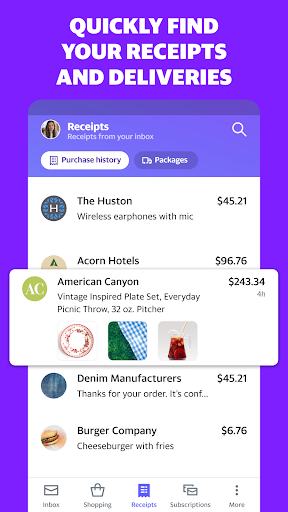
3. 🗂️ The Orders Hub feature allows real-time tracking of packages, ensuring users never lose sight of their orders.
Cons of Yahoo Mail – Organized Email App
1. 🕒 Some users may find that the interface takes time to get used to, especially when transitioning from other mail apps.
2. 💻 The app may consume more battery life compared to simpler email apps due to its advanced features.
3. 📱 Certain advanced features may not be available in the free Yahoo Mail – Organized Email app, pushing users to consider premium options.
Summary
🌟 Overall, the Yahoo Mail – Organized Email App is a robust solution for individuals seeking to enhance their productivity. The combination of email management and organizational tools makes it an appealing choice.
👨💻 Personally, I appreciate the app's unique Planner feature, which makes staying organized effortless. Downloading the Yahoo Mail – Organized Email App Download will help streamline any busy lifestyle.
How to Download the Yahoo Mail – Organized Email App
📲 To get started, you can easily install Yahoo Mail – Organized Email by visiting their official site. Look for the Yahoo Mail – Organized Email free download option.
🔗 Following the on-screen instructions will guide you through the login Yahoo Mail – Organized Email process, ensuring you’re set up in no time.
Yahoo Mail – Organized Email
Version 26.15.0 Updated 2026/04/16


